Pros & white label · 3 min
Customise your brand
Your logo, your colour and your watermark on your guests' gallery, instead of Evokly. With the Pro subscription or Event Pro.
Updated October 7, 2026
Open My brand
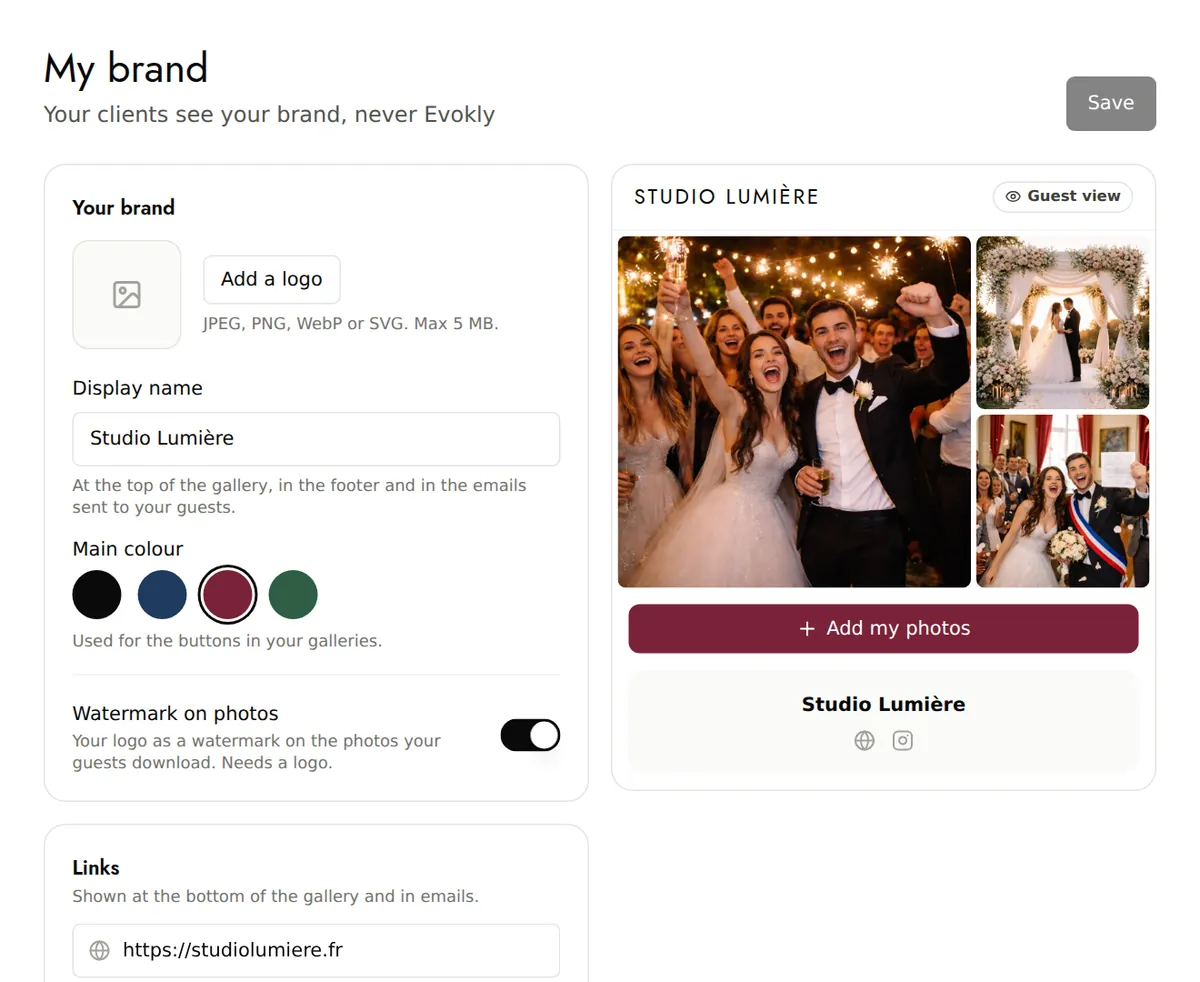
In your account menu, open My brand. Your settings apply to the gallery of all your events with the Pro subscription, or to the event concerned with Event Pro.
Add your logo and name
Add a logo: JPEG, PNG, WebP or SVG, 5 MB maximum. The Display name appears at the top of the gallery, in the footer and in the emails sent to your guests.
Choose your colour
The Main colour is used for the buttons in your galleries: black, navy blue, burgundy or forest green. All four stay readable with white text.
Turn on the watermark
Watermark on photos places your logo, discreetly, in the bottom right corner of the gallery photos and of photos downloaded one at a time. You need a logo.
Links and messages
Add your website and social networks (Instagram, Facebook, TikTok, YouTube, LinkedIn, X), shown at the bottom of the gallery. The Promotional message appears after a download or a selfie search; the Thank-you message appears on the end-of-event page.
The Guest view shows the result before you save.
Good to know
- The watermark doesn't apply to videos.
- Your emails to guests carry your brand name as soon as the name and logo are filled in.