Free for your wedding
Every photo of your wedding in one shared album, no app needed
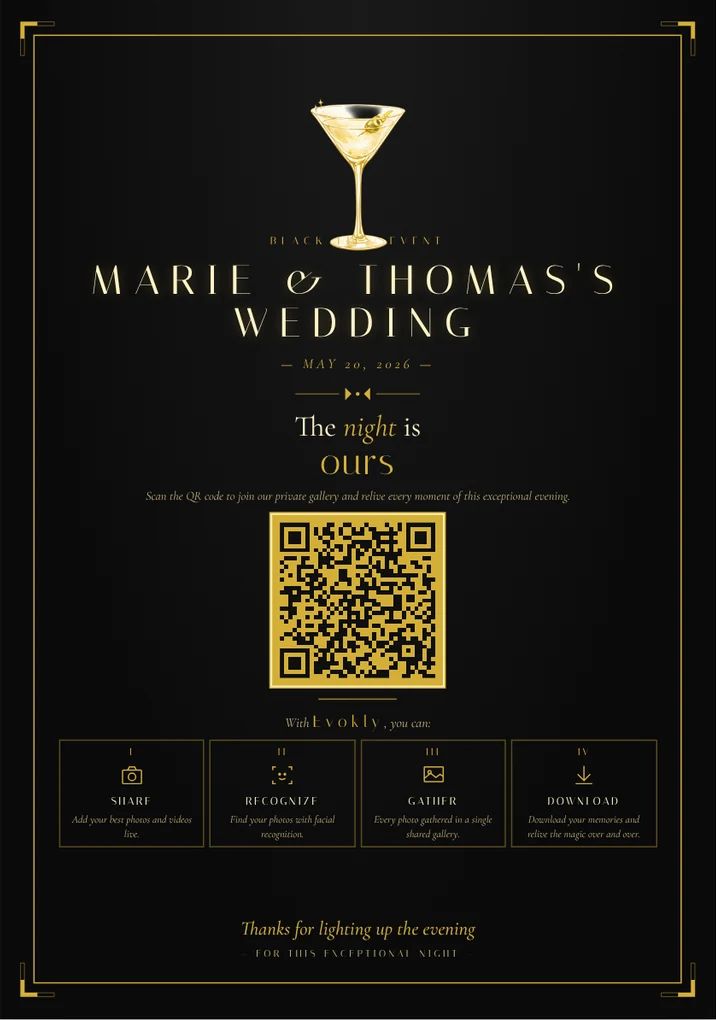
A QR code on the tables, one shared gallery. Your guests add their photos during the evening, and everyone finds their own with a selfie.

How do you share wedding photos with all the guests?
Create an Evokly gallery and put the QR code on the tables: every guest adds their photos from their phone, with no app, and finds their own with a selfie on the Event plan.
Dedicated gallery, WhatsApp or Google Drive: which should you pick?
The three most common ways of collecting guest photos, compared on what actually matters on the day.
Photo quality
- Evokly gallery
- Original, uncompressed
- WhatsApp group
- Automatically compressed
- Shared Google Drive
- Original
Guest access
- Evokly gallery
- Scan the QR code, no account
- WhatsApp group
- Must be in the group
- Shared Google Drive
- Google account required to add
Finding your photos
- Evokly gallery
- With a selfie
- WhatsApp group
- Scrolling the thread by hand
- Shared Google Drive
- Manual search through folders
Organisation
- Evokly gallery
- Moments (ceremony, party…)
- WhatsApp group
- None
- Shared Google Drive
- Folders you create yourself
Privacy
- Evokly gallery
- Access by QR code or private link
- WhatsApp group
- Phone number visible to every member
- Shared Google Drive
- Permissions to set up
For the full breakdown, read our comparison on sharing wedding photos without WhatsApp, our Wedbox, WedShoots or a web gallery comparison and our round-up of seven shared photo album options. Before the big day, see our guides to the engagement party and the bridal shower.
How it works
Three steps, zero apps
Step 1
Put out the QR code
On the tables or in the invitation. The gallery opens in the browser.
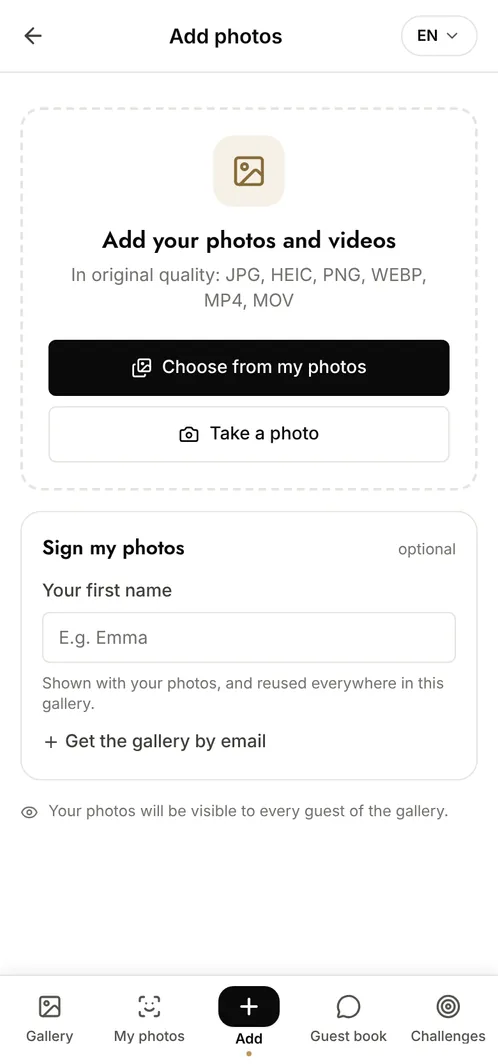
Step 2
Your guests add theirs
Photos and videos in original quality, no account needed.
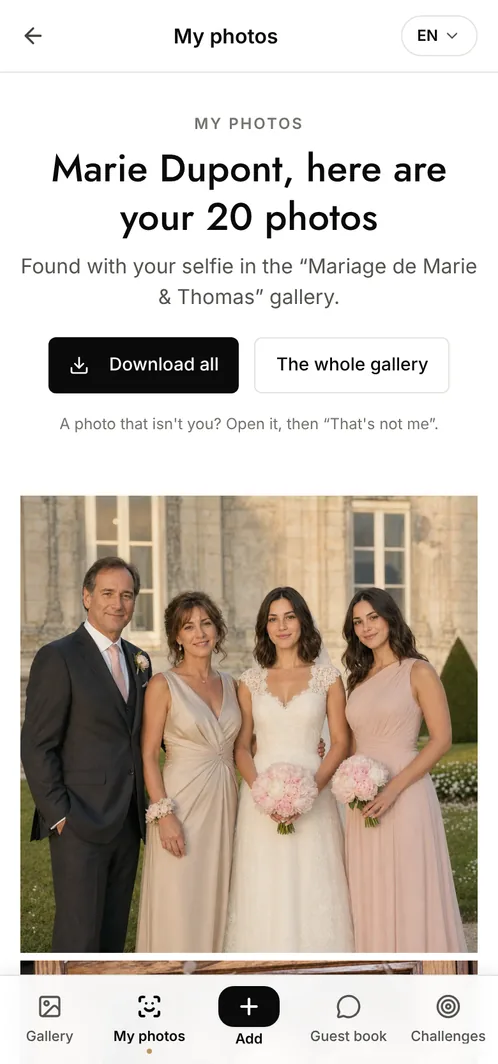
Step 3
Everyone finds themselves
One selfie, and AI pulls every photo they appear in.
What your wedding gallery includes
QR code ready to display
16 wedding poster designs, to print or slip into the invitation.
Selfie search
Every guest finds the photos they appear in, with a selfie.
Guestbook
Written, voice or video messages, on top of the photos.
Photo challenges
Missions that fill the gallery on their own.
Photo Wall
Photos shown on screen during the evening.
HD download
The whole gallery in original quality.
Which plan for your wedding?
Free
€0
- 100 photos, 10 contributors
- Gallery online for 15 days
- Recommended for a wedding
Event
€69one-off
- Unlimited photos and guests
- Selfie search
- Guestbook, challenges, Photo Wall
- Gallery online for 6 months
Frequently asked questions
Do guests need a wedding photo sharing app?
No. The QR code on the tables opens the shared album in the phone's browser: nothing to download, no account to create.
How many guests can contribute?
As many as you like with Event (€69, one-off). The free plan takes 10 contributors and 100 photos.
What happens after the wedding?
The gallery stays online for 6 months with Event, 15 days on the free plan. You can download everything in original quality before then, and extend storage if you need to.
How does selfie search work?
The guest takes a selfie in the gallery, after giving their consent. AI compares it with the event's photos and shows the ones they appear in. It is included with Event.
Is there a free way to share wedding photos with guests?
Yes: the free plan covers one event, 100 photos and 10 contributors for 15 days, with no credit card. For a full wedding, the Event plan at €69 paid once removes the limits.
Explore our other solutions



Your wedding deserves better than a Google Drive
Create your gallery for free, no credit card required.