
Five years ago this comparison had an easy answer. Most tools made your guests download an app, one did not, and that was the whole article.
That is no longer true. WedUploader, GuestPix, GuestCam and Evokly all let a guest scan a QR code and upload from their browser, with no app and no account. The friction argument is settled, and everybody won it.
So the question has moved. It is now about what your guests can do once they are in, where the files actually end up, how long they stay there, and what you pay for the one feature every couple asks about afterwards.
What "no app" no longer settles
Three things separate these tools in 2026, and none of them is the upload.
Whether guests see each other's photos. Some tools are a pipe: guests upload, the files land in your storage, and nobody else ever sees them. Others are a gallery: everyone browses the evening through everyone else's eyes, which is most of the point. This is the biggest fork in the road and it is rarely stated on a homepage.
Where the files live and for how long. In your own cloud account, forever, or on a provider's servers for a window that ranges from two weeks to fourteen months. Neither is wrong. Not knowing which one you picked is.
What finding your own photos costs. Out of eight hundred pictures, each guest wants the twelve they are in. Selfie based search solves that, and it is the feature most likely to carry a surcharge or to be absent entirely.
The seven options
1. The group chat
WhatsApp or iMessage, the reflex. It works for about two hours, then three things happen. Every image is compressed, which rules out printing. Guests who hate notifications mute or leave. And you spend the following week saving pictures one at a time out of a conversation full of thank-you messages.
Fine as a backup for the day after. Never as the only plan.
2. A shared album in your own cloud
A shared Google Photos or iCloud album. Free, generous, and quality is preserved if contributors kept the original-quality setting. The problem is the door: contributing needs an account in that ecosystem. On a wedding where three generations meet, that pushes part of the room away, and an Android guest cannot add to an iCloud album at all.
Good if your circle is overwhelmingly on one ecosystem, and only then.
3. A Drive folder or a WeTransfer link
Quality is preserved and there is no album to join. In exchange there is no album at all: guests drop files into a folder without seeing anyone else's, and you end up with four hundred loose files and duplicates. Transfer links also expire, typically between seven and thirty days.
Useful for collecting from one relative who shot a lot. Not a shared album.
4. WedUploader, straight into your own Drive
The free option this market talks about, and deservedly. Guests scan a QR code, upload from the browser with no app and no account, at original quality, and the files land in the couple's own Google Drive. Albums never expire, because the storage is yours. It runs on your 15 GB free Google allowance.
On the free plan, that design choice is also its limit: it delivers into your Drive and shows guests nothing. A one-time premium package adds a shared gallery guests can browse in real time, a fullscreen slideshow and a guestbook, with the files still landing in your Drive. Neither version offers face search; we compared it point by point in WedUploader alternative.
Pick it if free matters most, you already live in Google Drive, and you are collecting rather than sharing.
5. GuestPix
A hosted guest gallery. No app, no guest registration, guests reach it by private link or QR code, upload unlimited photos and videos in high resolution, and can view and download what everyone else shared. You pay once per event, with packages that differ by upload window, and a free trial holds 50 photos for 30 days.
Its gap is finding yourself: GuestPix does not advertise facial recognition. On a small wedding that does not matter. On three hundred guests and eight hundred photos, it means everyone scrolls. The full comparison is in GuestPix alternative.
6. GuestCam
The same family, with two distinctive choices. Storage runs longer than most: a twelve-month upload window and fourteen months of availability. And an audio guestbook is included on every plan, which is genuinely nice and rare.
Two things to know before choosing it. Facial recognition exists, under the name MagicFind, but it is sold as a paid add-on rather than included. And no free tier is advertised, so there is no way to try a real event before paying.
7. A QR gallery with the search included
The same family again, so let me be precise about what actually differs rather than pretend it is a different category.
This is how Evokly's shared wedding photo album by QR code works: guests scan, the gallery opens in the browser, they upload at original quality, and they can browse and download what everyone else shared. On the Event plan, each guest finds the photos they appear in by taking a selfie, with their consent, and that search is part of the plan rather than an add-on. The free plan covers one event, 100 photos and fifteen days, which is enough to run a real test before committing.
The trade-offs, stated plainly. Photos are hosted in the European Union, which matters to some couples and not to others. A paid event stays online six months rather than fourteen, so you download rather than leave it there. And the QR code still has to be somewhere people look, which is logistics no tool solves for you.
Apps you will also come across
Search for a wedding photo sharing app and three more names turn up. None of them changes the seven options above, but each answers a slightly different question.
POV, the disposable camera. POV turns each guest's phone into a disposable camera: the host decides how many photos each guest can take, and the gallery reveals during the event or the next day. Guests join from a QR code without installing anything (an App Clip on iPhone, the browser on Android), while the host sets the event up in the POV app. It is a game more than an archive, and a good one. If you want every photo rather than a roll of film, a gallery fits better, and we compared the two point by point in POV alternative.
Kululu, another hosted gallery. Kululu belongs to the same family as GuestPix and GuestCam: no app and no registration for guests, who join by QR code or link, and a live slideshow of what they upload. Its pricing page lists a Free plan alongside Plus and Pro, sized by guest count, and it does not advertise face search. As with the others, check whether finding your own photos is part of the plan you pick; we compared it in Kululu alternative.
The Guest, which no longer exists. Older guides still recommend The Guest, The Knot's photo-sharing app, formerly Veri. It stopped taking new events on 12 October 2022, and downloads of past galleries ended in June 2024. If it was on your shortlist, cross it off and see what to use instead.
What it costs
The honest summary is that price is not what should decide this, because the spread is small and the shapes differ.
| Option | Guests need an app | Guests see everyone's photos | Find your own photos |
|---|---|---|---|
| Group chat | No | Yes, compressed | No |
| Cloud album | Account required | Yes | No |
| Drive or WeTransfer | No | No | No |
| WedUploader | No | With the paid premium package | No |
| GuestPix | No | Yes | No |
| GuestCam | No | Yes | Paid add-on |
| Evokly | No | Yes | Included from the Event plan |
Free means one of three things, and it is worth knowing which you are accepting: your own storage and your own quota, a cap on photos, or a short window before everything disappears. WedUploader takes the first, Evokly's free plan takes the second and third, and a group chat takes your quality instead.
Evokly's own pricing sits on the pricing page: free for one event and 100 photos, a one-off payment for a full wedding with unlimited photos, six months online and the selfie search, and a monthly plan for people running several events a year.
What your guests actually see
Here is the real journey, captured on our demo event. On the left, the gallery as it opens after the scan. On the right, the upload screen.
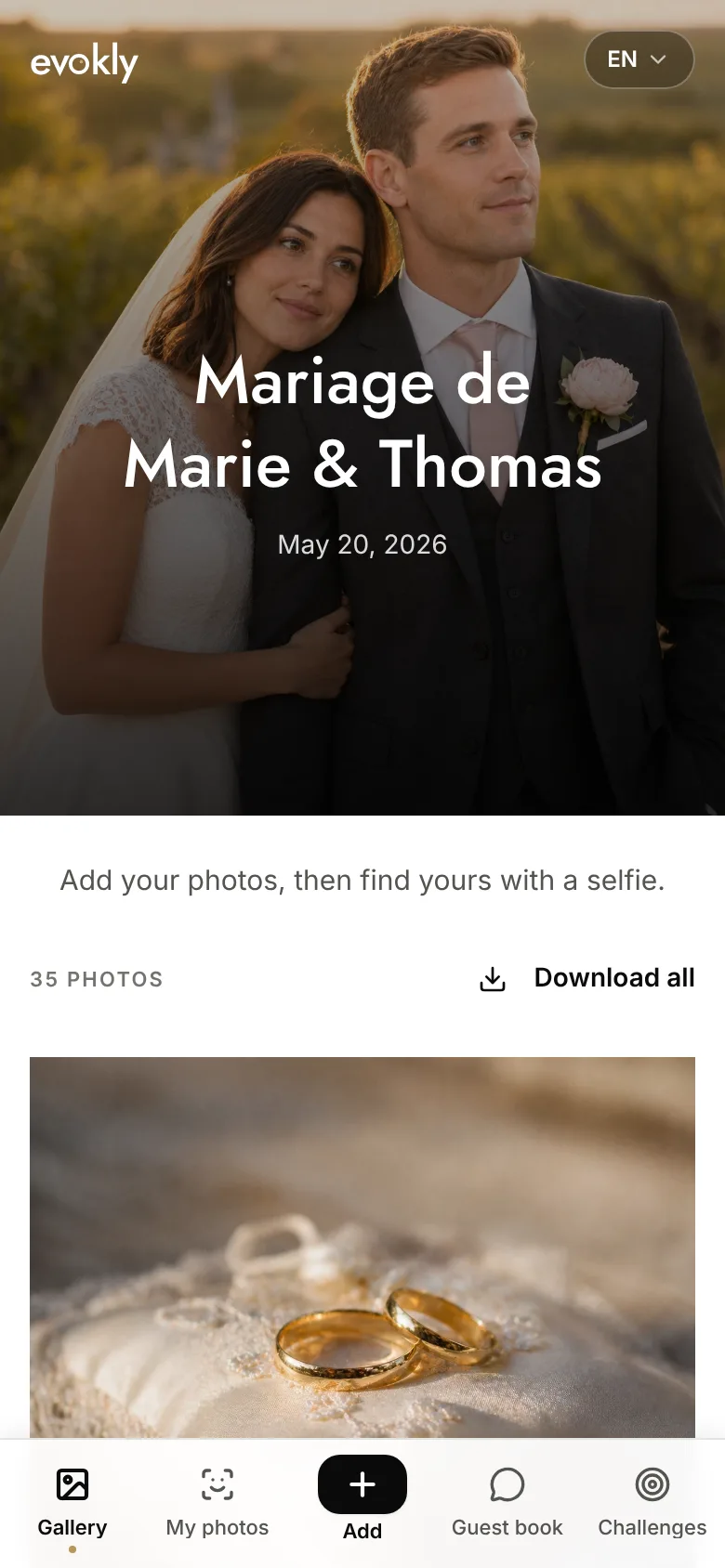
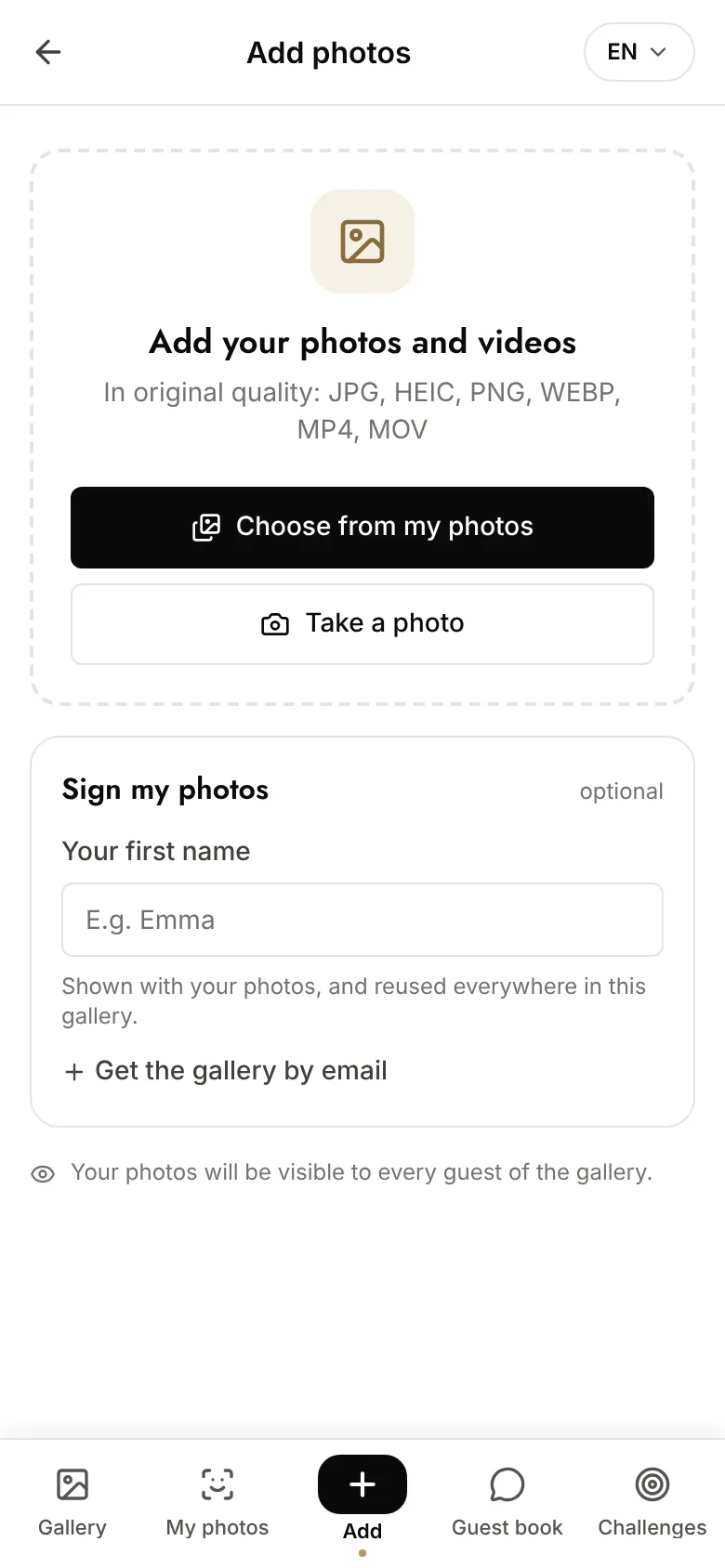
Two details decide participation more than any feature list. The guest's first name is optional, because asking for an identity before the first upload costs you contributors. And the accepted formats are written right under the screen title, which heads off the question shouted across the room at the reception.
Which option for which wedding
| Your situation | What to pick |
|---|---|
| Free matters most, you use Google Drive | WedUploader |
| Under 40 guests, all on the same ecosystem | Shared cloud album |
| You want a gallery, small guest list | GuestPix |
| You want the longest storage window | GuestCam |
| 100 guests and up, people should find themselves | A gallery with the search included |
| You also want photos from a hired photographer | Their delivery gallery, plus one of the above |
That last row is worth its own sentence. Your photographer's gallery is an excellent product answering a different question: it delivers their work, it does not collect your guests'. The two are complements, not competitors. Nobody should choose between them.
Getting everything back
This is where most shared albums fail, because the step comes round when the wedding is already three weeks gone.
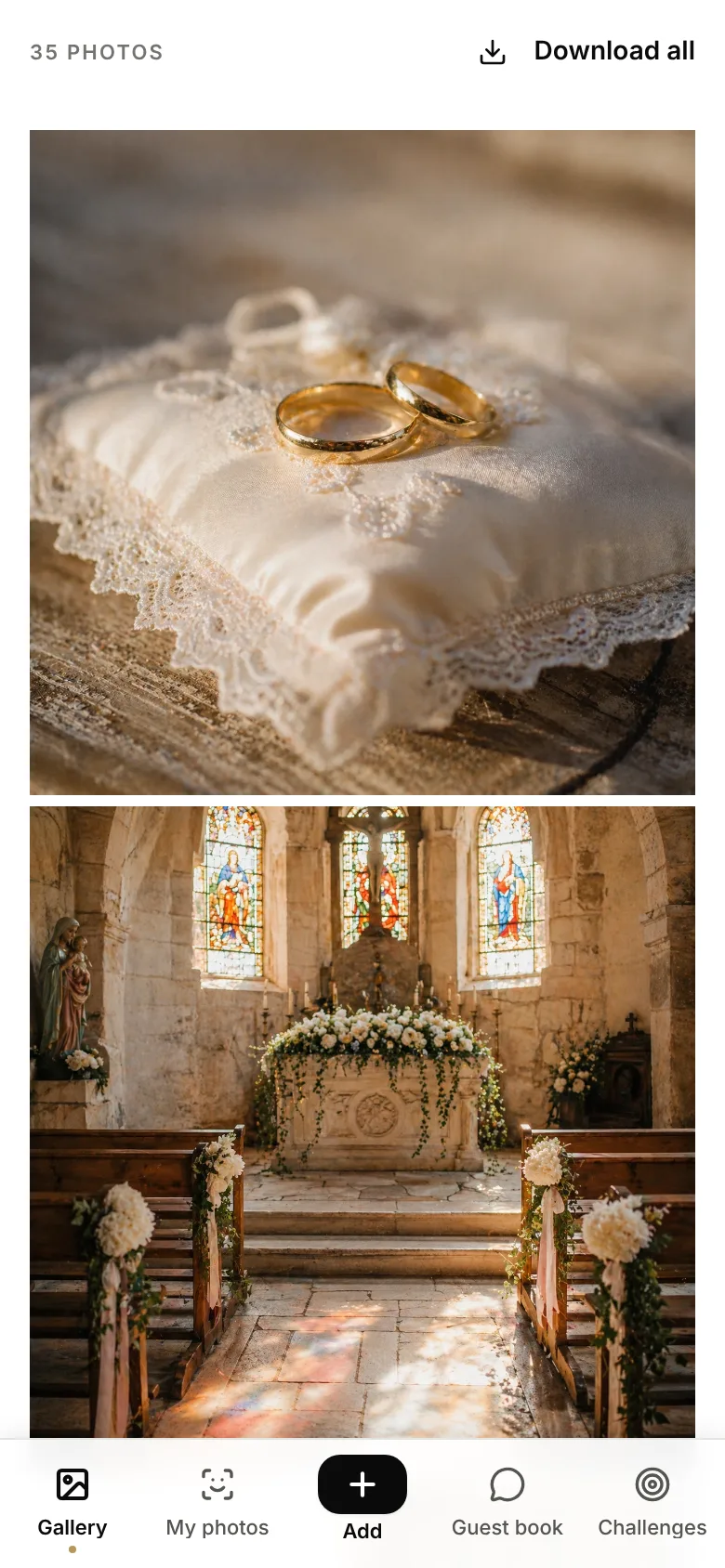
Three habits, whichever tool you picked.
Download everything before the deadline. Even where storage runs fourteen months, the archive is your job. Set the reminder on the day you create the album, not the day it expires.
Take original quality, not the display copies. A bulk download should return the files exactly as they were uploaded. This is the whole reason you avoided the group chat.
File by event, not by date. One folder, named with the date and the names, is still readable in five years.
Five mistakes that empty an album
- Not announcing it. A QR code sitting on a table with no word on the microphone is seen by a fraction of the room. By far the first cause of an empty album.
- One sign, at the entrance. Nobody takes out their phone on arrival. They take it out at the table and at the bar.
- Closing it the next morning. Half the uploads arrive the day after, on the journey home.
- Choosing on the app question alone. It is settled. Choosing on it means not choosing on the things that still differ.
- Forgetting to download. An expired gallery does not come back.
FAQ
What is the best shared photo album for wedding guests?
There is no single best one, because the tools now split on what happens after the upload rather than on the upload itself. If you want free and you already live in Google Drive, WedUploader is hard to beat. If you want guests to browse and download each other's photos, you need a gallery they can see: GuestPix, GuestCam, Evokly, or WedUploader with its paid premium package. If you want each guest to find the photos they appear in, check whether that is included or sold as an add-on, because it is the feature most likely to carry a surcharge.
Do guests still need an app to share wedding photos?
No, and that is no longer a differentiator. WedUploader, GuestPix, GuestCam and Evokly all let guests upload from a browser after scanning a QR code, with no app and no account. In 2026 an app requirement is the exception, not the rule, so pick on what happens after the upload instead.
Is there a free shared wedding photo album?
Yes. WedUploader is free and files uploads into your own Google Drive, using your 15 GB free allowance; its shared gallery is a one-time paid upgrade. Evokly has a free plan covering one event, 100 photos and 15 days online. GuestPix offers a free trial of 50 photos for 30 days. GuestCam does not advertise a free tier. Free usually means one of three things: your own storage, a photo cap, or a short window.
Can guests see the photos other guests uploaded?
Only if the tool shows them a gallery. This is the real dividing line. A tool that only files uploads into your own Drive, as WedUploader does on its free plan, gives you everything but shows guests nothing, so nobody browses the evening through anyone else's eyes. GuestPix, GuestCam and Evokly all show a shared gallery, as does WedUploader's premium package, and most let guests download in full resolution if you allow it.
Do photos keep their original quality?
In every dedicated tool listed here, yes. The exception is the group chat: WhatsApp and iMessage compress each image, which rules out printing and enlarging later. That single fact is why a group chat should never be your only plan.
How long do the photos stay online?
This varies more than anything else. WedUploader albums never expire because the files sit in your own Drive. GuestCam advertises a 12-month upload window and 14 months of storage. Evokly keeps a paid event for six months, or twelve on the Pro plan, and fifteen days on the free plan. Whatever you pick, download everything before the deadline rather than trusting it.
What happened to The Guest wedding photo app?
The Knot retired it. The Guest, formerly Veri, stopped accepting new events on 12 October 2022, and downloads of past galleries remained possible until June 2024. It cannot be used for a new wedding, so any guide still recommending it predates the closure.
Is a disposable camera app a good idea for a wedding?
As a game, yes: a fixed number of shots per guest and a delayed reveal create a moment, and POV does this well. As your only way to collect photos, less so, because the shot limit works against keeping every good picture. If you want both, run the disposable camera for fun and a shared gallery for the archive.
When should I open the shared album?
A week before the wedding, so you can test it on a parent's phone, and leave it open two weeks after. Half the contributions arrive the day after, when guests go through their camera roll on the way home. An album closed at midnight loses them.
In short
Stop choosing on whether guests need an app. They do not, anywhere that matters.
Choose on three things instead. Whether your guests should see each other's photos or just hand them to you. Whether the files should live in your own cloud forever or on a provider's servers for a while. And whether finding yourself in eight hundred pictures is worth paying for, because that is the line where these tools genuinely part ways.
For the QR code logistics that decide how full the album gets, whatever you picked, the event QR code guide covers size and placement. For the wider setup, see creating a shared photo gallery.
Create a gallery for free and test it on a parent's phone before the invitations go out.