
After an event, the best photos are almost never the photographer's. They are the ones taken at table height, by guests, on their phones. The trouble is that they stay on eighty different phones, and the organiser gets maybe twenty of them back, compressed, trickling in over three weeks.
A shared photo gallery fixes that at the source: one address, open to everyone, where each person drops what they shot while the event is still happening. This guide covers what it actually is, how to create one, what it costs, what the GDPR requires and how to get everything back afterwards.
What a shared photo gallery is
A shared photo gallery is a single web page where everyone at an event drops their photos and sees everyone else's. It differs from a normal cloud album on one precise point: it is open for writing to people who have no account, either with you or with your provider.
That is the whole difference with a shared Google Photos or iCloud album. Those work very well between people already inside the same ecosystem, but they require an account to contribute. At an event where three generations meet, that requirement shuts out part of the room. The comparison of shared Google Photos against a dedicated event gallery sets out where each one wins.
What the guest actually does
They scan a QR code on the table with their phone camera. The gallery opens in their browser. They tap the share button, pick photos from their camera roll, and those photos appear in the shared gallery. Fifteen seconds, no account, no install.
That sequence is identical for a guest of twenty and a guest of seventy-five, which is true of no solution that goes through an app download.
What the organiser gets
A single space that fills up during the event rather than three weeks later. Depending on the platform, you add features that change how it is used: photo challenges to kick off participation, a guestbook where guests leave a written or voice message, and a selfie search that lets each person find the photos they appear in without scrolling through eight hundred shots.
Create yours in five steps
1. Create the event
The gallery does not exist on its own, it belongs to an event. You give it a name and a date, and its web address is created along with its QR code. On Evokly this takes under two minutes and the free plan asks for no credit card.
One mistake to avoid: generating the QR code before the gallery exists, pointing at a placeholder address. A static QR code encodes a fixed address, so you would have to reprint everything. Create the gallery first.
2. Set what guests are allowed to do
Three settings decide the experience, and they are made before printing, not during the party.
- Open uploads. Can guests add photos without approval? For a private party, yes, otherwise you will spend the evening moderating. For a company event open to the public, approval before publication makes sense.
- Downloads. Can guests take away other people's photos? This is what brings people back to the gallery the following week.
- Facial recognition. If you turn it on, each guest can find their own photos by taking a selfie, after giving explicit consent. On Evokly it is available from the Event plan up.
3. Print the QR code at the right size
The rule fits in one line: the scanning distance should not exceed ten times the width of the code. A code on a table, scanned from fifty centimetres, therefore needs to be at least five centimetres across. A banner read from a metre and a half needs fifteen.
White background, dark modules, a short prompt underneath. The event QR code guide covers sizes, contrast and placement in detail. If your gallery is hosted elsewhere, the free QR code generator exports to PNG, SVG and PDF with no sign-up.
4. Announce the gallery during the event
This is the step everyone skips, and the one that decides how full the gallery gets. A QR code sitting there without a word is seen by a fraction of the room. The same code announced on the mic at dessert or during the speeches gets half the tables scanning within five minutes.
Use more than one stand: one per table, one at the bar, one near wherever people pose for group shots.
5. Leave the gallery open after the event
The late-night photos do not arrive that night. They arrive the next day, when guests go through their camera roll on the train home. A gallery closed at midnight loses half its contributions. Plan on two weeks minimum and send a reminder the following day.
What it costs
The price of a shared gallery comes down to two variables only: how many photos, and how long they stay online. The number of guests should never be billed, since that is exactly what you are trying to maximise.
| Plan | Price | Photos | Contributors | Gallery online |
|---|---|---|---|---|
| Free | €0 | 100 | 10 | 15 days |
| Event | €69 one-off | Unlimited | Unlimited | 6 months |
| Event Pro | €199 one-off | Unlimited | Unlimited | 6 months |
| Pro | €149 per month | Unlimited | Unlimited | 12 months |
The free plan is enough for a birthday, a team meeting, or a trial run before a big event. The Event plan, paid once, is the right call as soon as an event goes past a hundred photos: it removes the limits, keeps the gallery for six months and adds facial recognition and photo challenges. Event Pro puts your brand on the event you paid for. The Pro plan is for people running several events a month, with full white-label and a multi-client dashboard. The detail is on the pricing page.
What your guests see
Here is the real journey, captured on our demo event. On the left, the gallery as it opens after the scan. On the right, the upload screen.
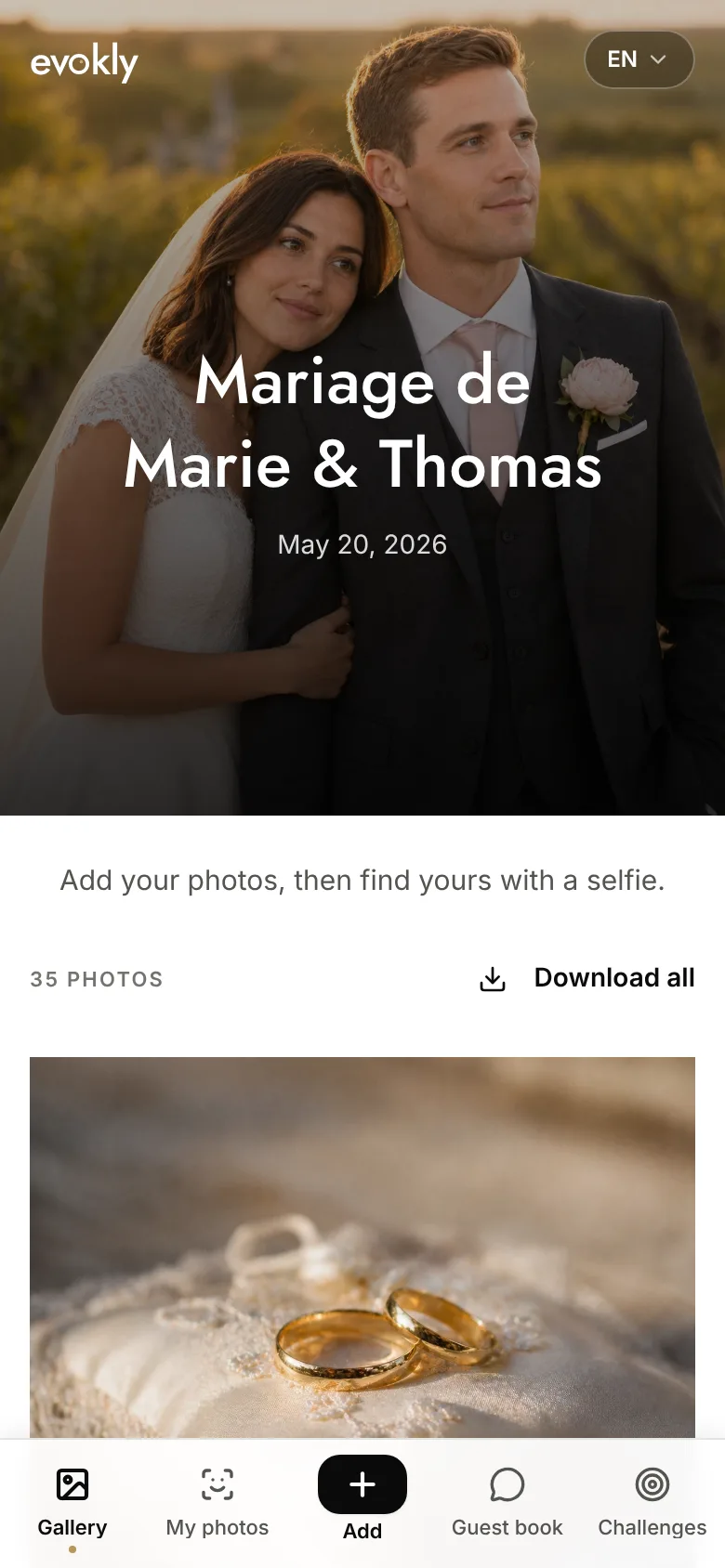
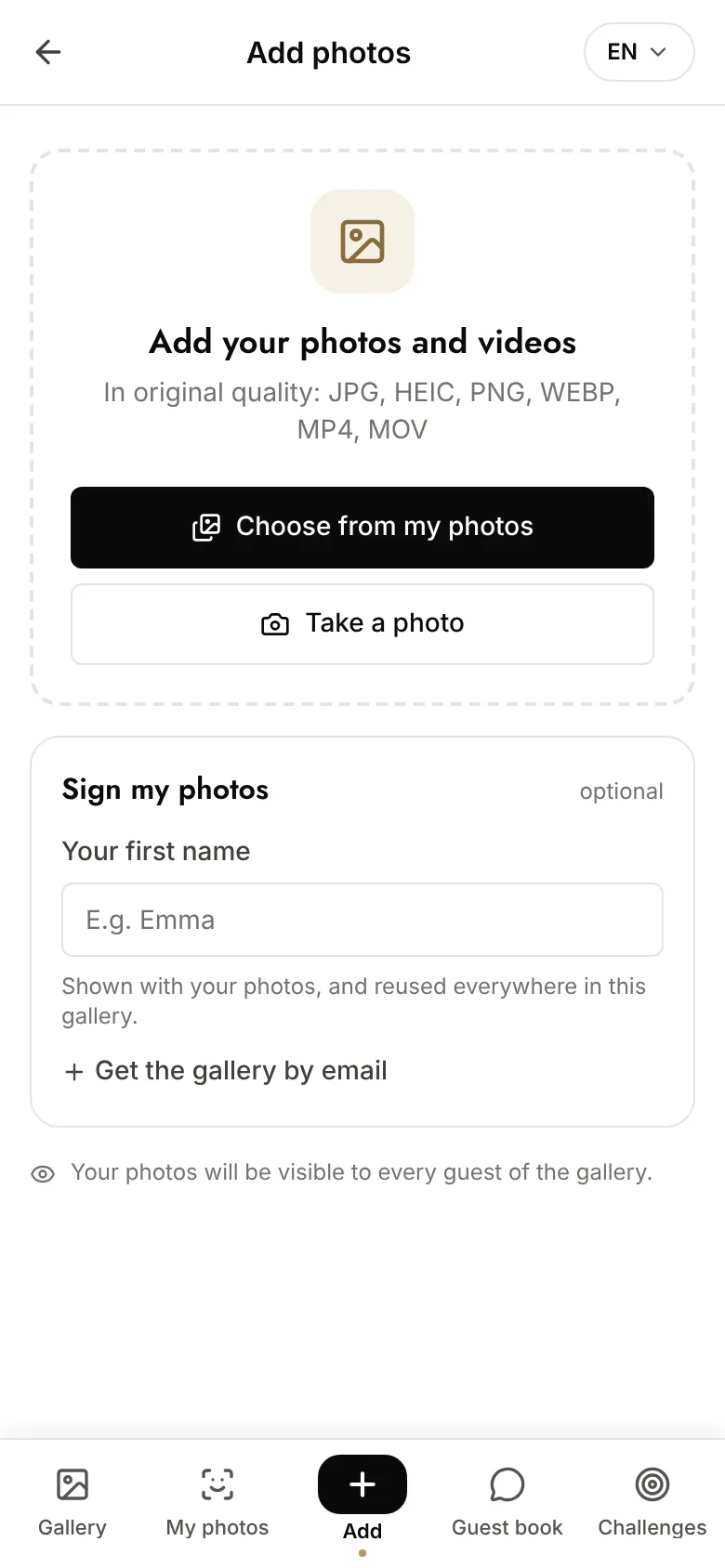
Two details matter more than they look. The guest's first name is optional: demanding an identity before the first upload costs you contributors. And the accepted formats are written right under the screen title, which heads off the question shouted across the room during the party. Evokly accepts photos as JPEG, PNG, HEIC and WebP, and video as MP4, MOV and WebM.
Which gallery for which event
The right setup depends less on your budget than on the type of event. These combinations work.
| Event | What matters most | What is enough |
|---|---|---|
| Birthday, 20 to 40 guests | Zero friction at the door | Free plan |
| Wedding, 80 guests and up | Volume, selfie search, six months online | Event plan |
| Offsite or team building | European hosting, company branding | Pro plan |
| Conference or trade show | Volume, engagement analytics | Pro or Enterprise plan |
| Photographer delivering to a client | Photographer's brand, dedicated domain | Pro plan |
For a wedding, the comparison of seven shared photo album options goes through what each family of tools really delivers on the day. For a birthday, the birthday photo QR code guide gets straight to the point. On the company side, centralising offsite photos without going through IT deals with internal constraints. Photographers will find their case in the Pixieset alternatives for gallery delivery.
What the GDPR requires
A family party whose photos stay inside the private circle falls outside the scope of the GDPR. The regulation applies as soon as sharing becomes organised and leaves that circle: a company offsite, a conference, a charity gala, or anything published openly online.
Four points are enough to be in order at a normal event.
- Inform people beforehand. One sentence on the invitation or the programme, saying a shared photo gallery will be open and pointing to an accessible privacy policy.
- Collect explicit consent for biometrics. If you turn on selfie search, it relies on biometric processing, so on the guest's consent, collected at capture time and recorded with its date.
- Limit the duration. A gallery is not meant to stay open forever. The guide to event photo retention periods gives benchmarks per use case and the documentation to produce.
- Know where the files are. Many consumer services host outside the European Union. Evokly hosts in the European Union, encrypts in transit and at rest, and never reuses photos, neither for advertising nor for training models. The detail is on the compliance page.
Image rights are a separate matter from the GDPR, and in France and much of Europe they apply even in a private setting as soon as a photo is circulated. The practical takeaway: a recognisable person can ask for a photo of them to be taken down, and your gallery has to make that removal possible without an argument.
Getting everything back after the event
This is where most galleries fail, because the step comes round when the event is already forgotten.
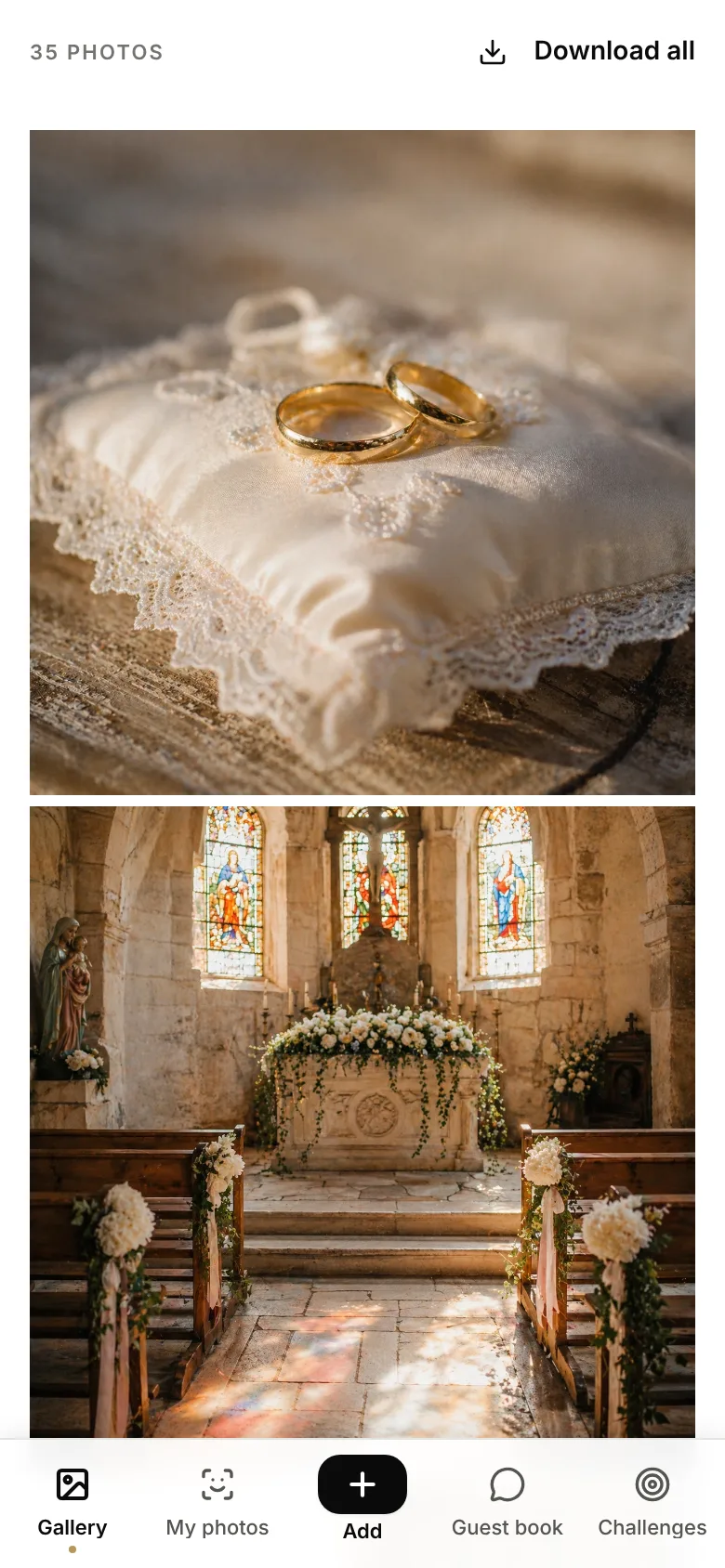
Three habits stop you losing the content.
- Archive before the deadline. On the free plan the gallery expires after fifteen days and the photos are deleted. Photos download one at a time there: downloading the whole gallery as a single file starts with the Event plan. A reminder email goes out before expiry, but archiving stays your responsibility.
- Take the original quality, not the thumbnails. A bulk download should return files exactly as they were uploaded. That is what makes printing and enlarging possible.
- File by event, not by date. One folder per event, named with the date and the name, is still readable in five years. A month-by-month tree stops being readable within a year.
If you moved to a paid plan, selfie search also changes the aftermath: each guest finds their own photos without you having to carve up the gallery for them.
The five mistakes that empty a gallery
- Not announcing it. A QR code with no word on the mic is seen by a fraction of the guests. By far the first cause of an empty gallery.
- One stand, at the entrance. Nobody takes out their phone on arrival, everybody takes it out at the table and at the bar. Multiply the scan points.
- Picking a tool that asks for an account. Every step added before the first upload costs contributors, and it costs more as the average age of the guests goes up.
- Closing the gallery the next day. Half the contributions arrive after the event, when guests go through their camera roll.
- Forgetting to download. An expired gallery cannot be recovered. Set yourself a reminder for the expiry date on the day you create the event.
FAQ
What is a shared photo gallery?
It is a single web page where everyone at an event drops their photos and sees everyone else's. Unlike a normal cloud album, it is open for writing to people who have no account: they arrive through a link or a QR code, add their files from the browser, and the organiser gets the whole set back in one download.
How do I create a shared photo gallery for an event?
Create the event on a dedicated platform, which produces the gallery and its QR code. Then set who can upload and download, print the QR code at the right size, announce it during the event and leave the gallery open for two weeks afterwards. On Evokly the setup takes under two minutes and the free plan asks for no credit card.
Is a shared photo gallery free?
It depends on the volume. Evokly's free plan covers one event, 100 photos, 10 contributors and 15 days online, which is enough for a birthday or a team meeting. Beyond that, the Event plan at 69 euros as a one-off payment removes the photo and contributor limits and keeps the gallery for six months.
Do guests need an account or an app?
It depends on the tool, and it is the single criterion that decides your participation rate. Wedding album apps and shared Google or iCloud albums require a download or an account, and some guests give up at that step. A web gallery like Evokly opens in the browser after the scan, with no account and no install.
How long should an event photo gallery stay online?
Two weeks after the event as a minimum, because the late-night photos arrive the next day and the day after. Beyond that, the duration depends on the type of event and the legal basis for the processing: a few months for a private party, one to three years for internal company communication. The retention guide sets out benchmarks per use case.
Do photos keep their original quality?
In a dedicated gallery, yes: files are kept exactly as they left the phone, and an optimised version is used only for fast display. A messaging app like WhatsApp compresses every image instead, which rules out printing and enlarging later.
Where are the photos of a shared gallery hosted?
Worth checking before you pick a tool, because many consumer services host outside the European Union. Evokly hosts in the European Union, encrypts files in transit and at rest, and never uses them for anything other than the service, neither for advertising nor for training models.
In short
A shared photo gallery comes down to three things: an address open for writing without an account, a QR code visible where the guests actually are, and an announcement at the right moment. The rest is settings, and above all how long you leave the door open after the event.
Create a gallery for free and put your QR code out before the first guest arrives.