Free for your family reunion
A family reunion album, built by the whole family
A family reunion brings together people who use four different messaging apps and no common group. That is exactly why the photos never circulate. One gallery, reachable by QR code, is the only thing everyone can use.

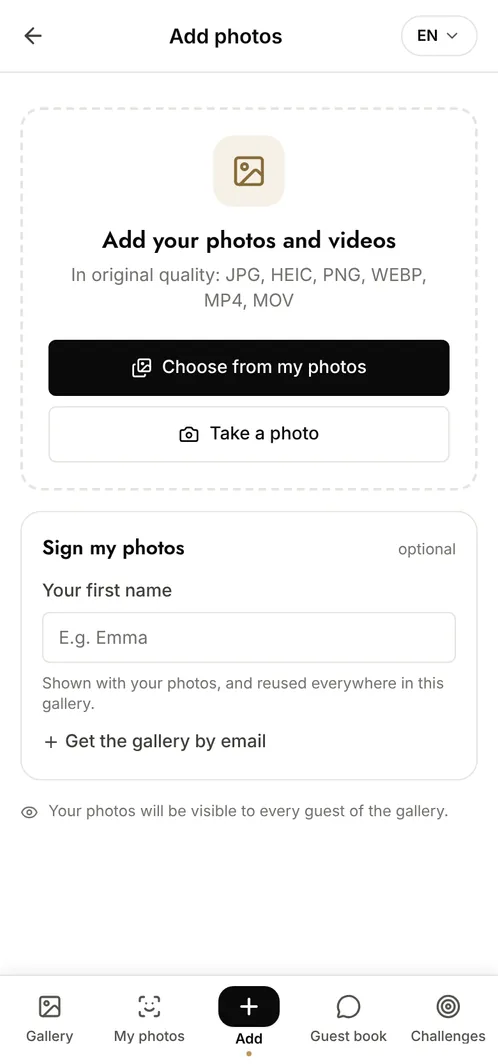
How do you gather the photos from a family reunion?
Print a QR code and put it on the tables or at the entrance. Every relative scans it with their phone camera and adds what they took, without installing anything and without creating an account, which is what makes it work across four generations. Everyone sees the whole album immediately, and photos keep their original resolution, so the group shot is still printable years later.
The moments that make the album
The arrivals
Relatives who have not seen each other in years meeting again in the car park: the most spontaneous photos of the weekend.
The big group photo
The one everyone lines up for, taken from six phones at once, and the six versions are never the same.
The meal and the evening
The long tables, the children running about, the stories that come out after dessert.
Photo challenge ideas
One photo per family branch
Each branch gathers for its own portrait, so the album maps the whole family.
Recreating an old photo
The same pose as a family photo from twenty years ago, with whoever is still around.
The oldest and the youngest
One photo bringing together the two ends of the family tree.
Which plan for your family reunion?
A family reunion almost always exceeds the free plan's 10 contributors. The Event plan at €69 (one-off payment, easily split across the families) gives unlimited photos and contributors, facial recognition so each relative finds their own photos with a selfie, and 6 months of retention to let everyone download at their own pace.
Free
€0
- 100 photos, 10 contributors
- Gallery online for 15 days
- For a big crowd
Event
€69one-off
- Unlimited photos and contributors
- Selfie search
- Challenges and guestbook
- Gallery online for 6 months
Frequently asked questions
Will older relatives manage on their own?
Yes. Pointing a phone camera at the QR code opens the gallery directly. There is no app, no account and no password, which is the whole reason it works at a reunion.
How does each relative find the photos they are in?
With facial recognition, available from the Event plan: they take a selfie, give explicit consent, and get every photo they appear in without scrolling through hundreds.
Can we keep adding photos after the weekend?
Yes. The gallery stays open for as long as its retention period runs, so relatives can add the photos they find on their camera once they are home.
Are the photos private to the family?
Yes. Only people with the QR code or the private link can open the gallery. Nothing is public or indexed by search engines.
Also worth reading



Guides:How long should you keep event photos under GDPR?Shared Google Photos vs a dedicated event galleryCreate a shared photo gallery for your event
All event types