Getting started · 2 min
Create your first event
A type, a name and a date are all you need to get your gallery and its QR code. Then you save it with Google or an email link.
Updated October 7, 2026
Describe your event
On the home page, choose the event type (Wedding, Birthday, Company or Other), type the event name, then click Create my free gallery. The date can wait until the next step.
Check your gallery
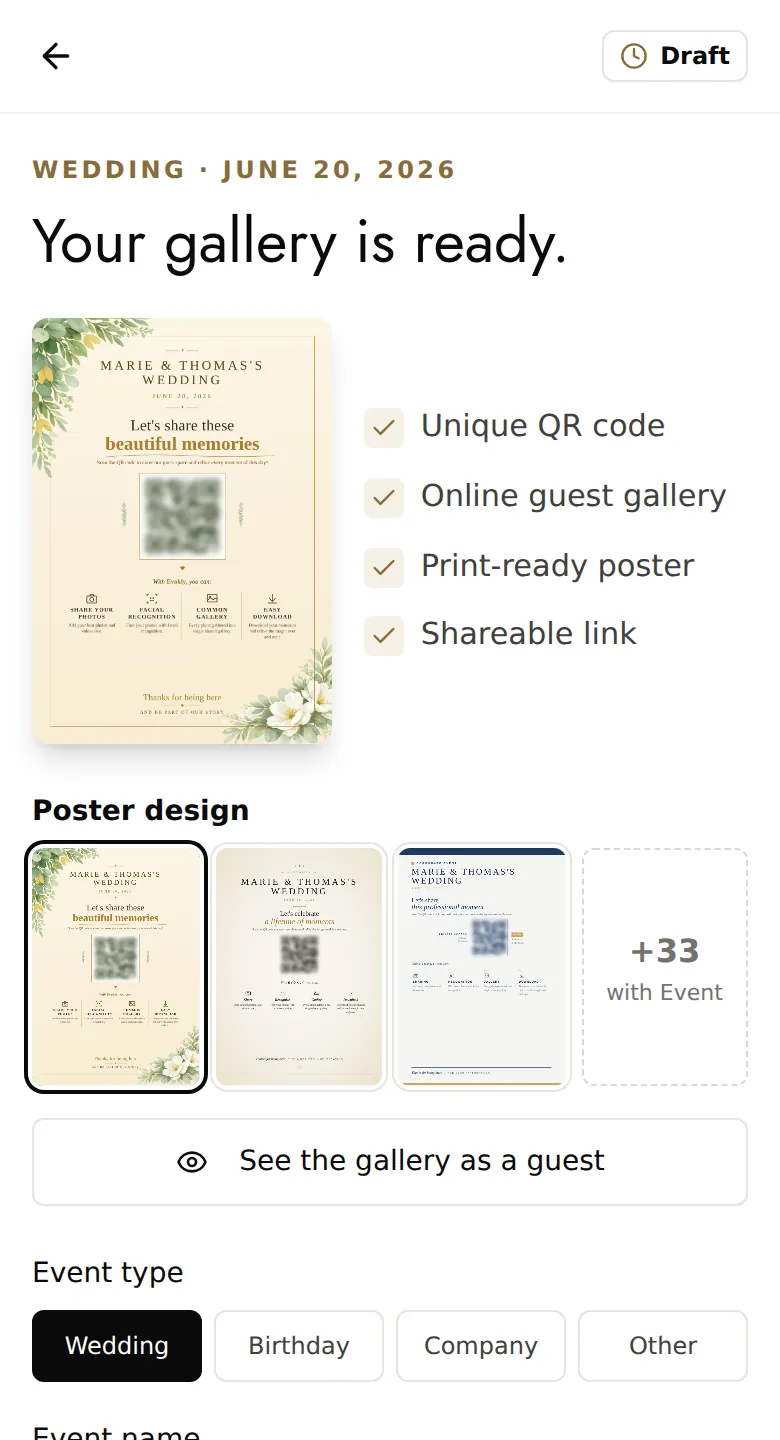
The Your gallery is ready page shows what you get: a unique QR code, an online gallery for your guests, a print-ready poster and a link to share.
Add the event date if you haven't already, and choose a poster design. See the gallery as a guest shows you what your guests will see.
Nothing is saved yet: the gallery stays on this device until you save it.
Save it
Click Save my event, then Continue with Google, or type your email address and click Email me my link. No password is needed.
The link you receive by email is valid for one hour and works only once. You can open it on another device: your gallery follows you there.
Find your event
Once you are signed in, the gallery is created and you land on its Overview. It starts on the free plan: you can upgrade to Event whenever you like.
Good to know
- The free plan allows only one active event at a time.
- Already signed in? In My events, the New event button opens the full form, with the location, cover image, plan and privacy.
- Next step: share the QR code and print the poster.