Getting started · 3 min
Share the QR code and print the poster
Print your event poster, send the link by WhatsApp, email or text, or download the QR code on its own for an invitation.
Updated October 7, 2026
Choose your poster
In your event menu, open Poster & QR code. You'll find 36 designs there (weddings, birthdays, parties and family events). Three are included in the free plan; the others come with Event.
Edit the title, the subtitle and the tagline: your changes are saved automatically.
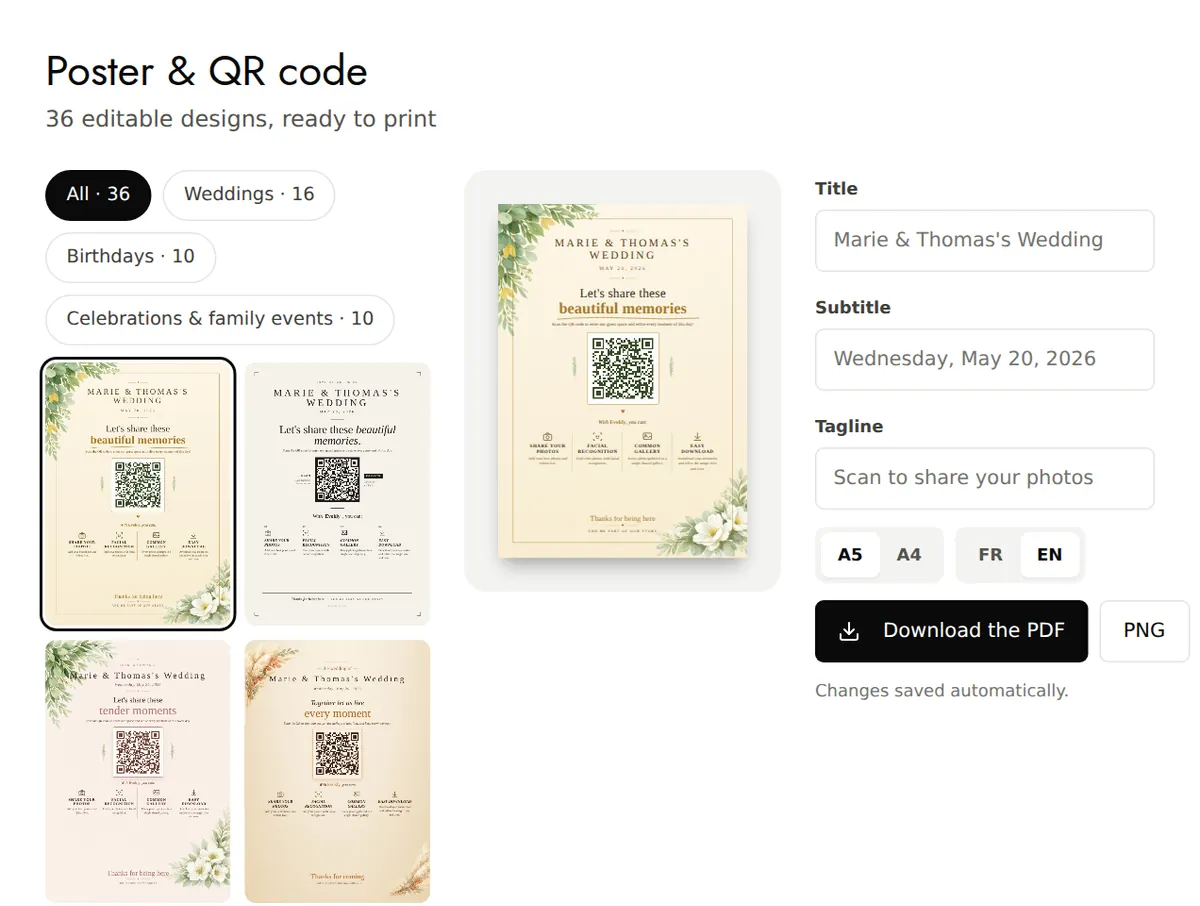
Download and print it
Choose the A5 or A4 format and the language (French or English; your gallery's language by default), then click Download the PDF. A PNG version is also available. Print at actual size, without scaling.
Send the link
Open Share: copy the gallery link, or send it by WhatsApp, by email or by text message (on a phone). A ready-to-send message is already written; Copy the message puts it on your clipboard.
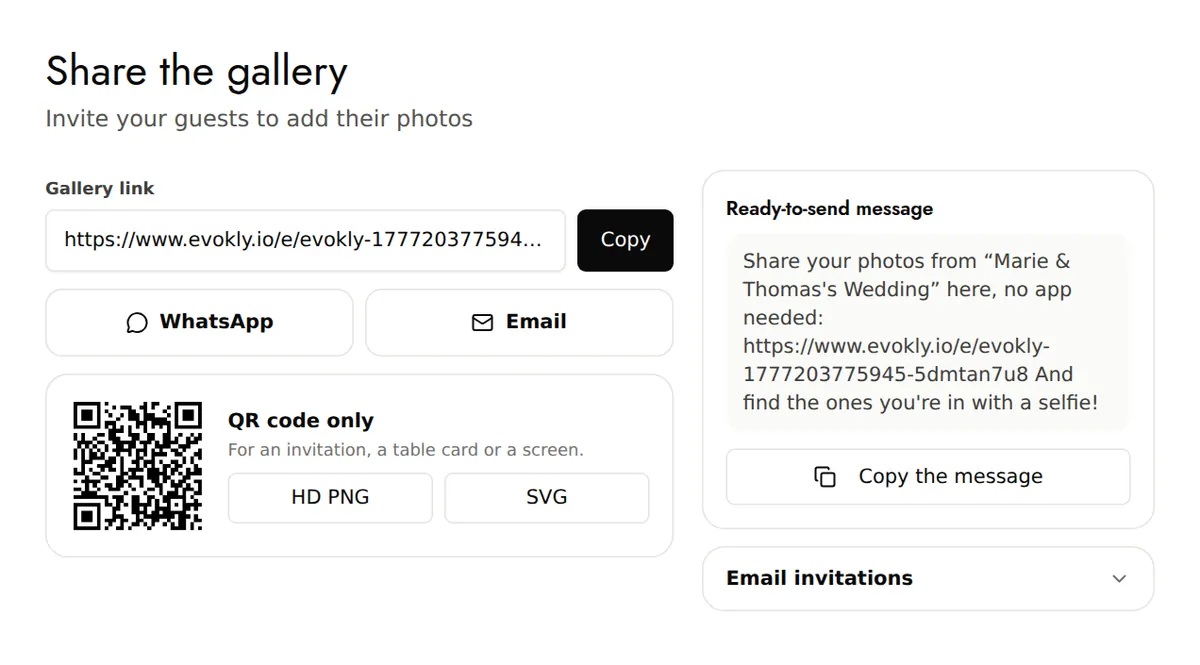
Keep the QR code on its own
Still in Share, the QR code only card downloads it as an HD PNG or an SVG, for an invitation, a table card or a screen.
Good to know
- Test it before the big day: scan the QR code with your phone and add a first photo.
- On the Overview, the Your QR code card gives you shortcuts: Print the poster, WhatsApp and Copy.
- Email invitations, in Share, prepares an email in your own email app, with the addresses in Bcc: you are the one who sends it.