Payments & invoices · 2 min
Extend your gallery
Is your Event gallery nearing its expiry date? Extend it by a year, as many times as you like, or keep it forever.
Updated October 7, 2026
Open Extend the gallery
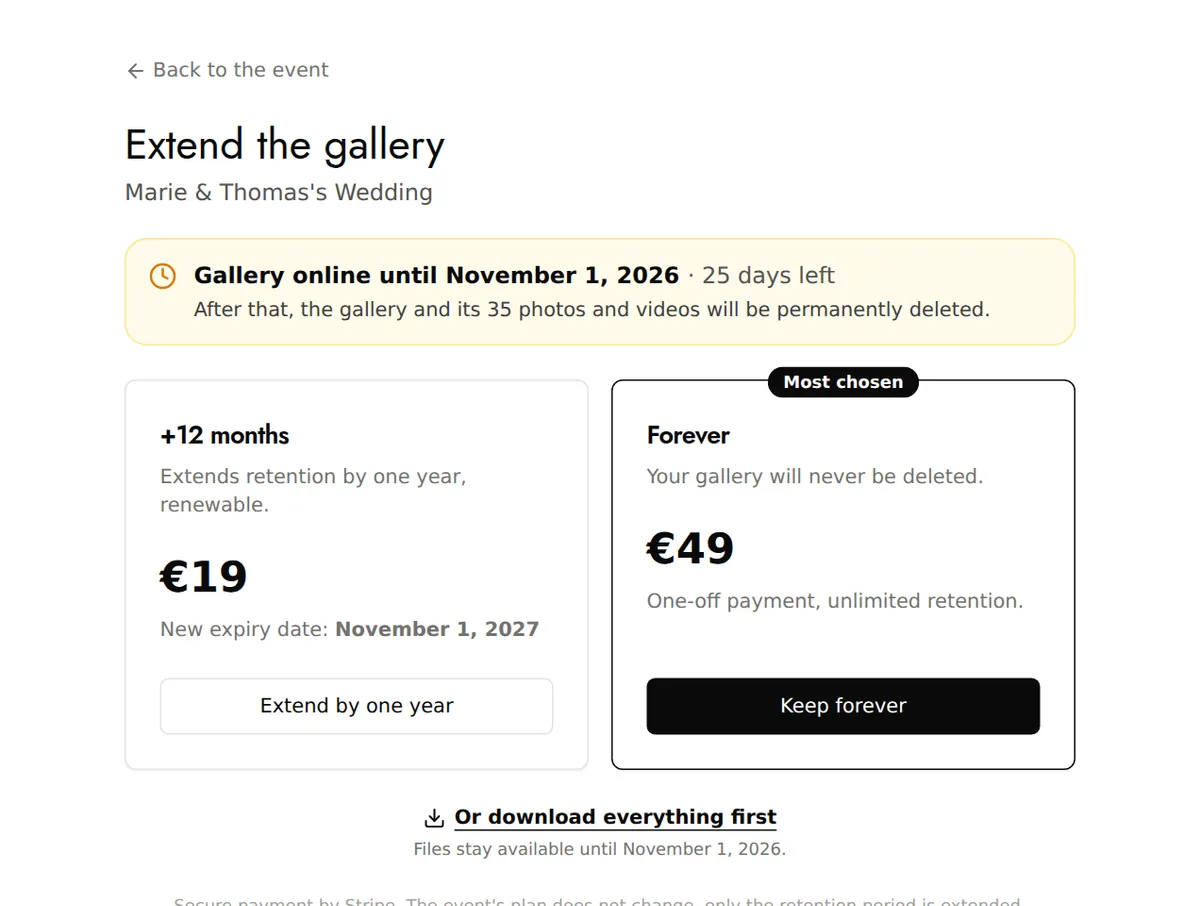
When your gallery is 30 days from expiry, a Your gallery expires soon banner appears on the event's page: click Extend. The countdown in My events takes you there too.
Choose how long
- +12 months (Extend by one year): adds a year to the current expiry date, and you can do it again.
- Forever (Keep forever): a one-off payment, and the gallery no longer expires.
Prices are shown in your currency. The event's plan doesn't change: only how long the gallery is kept is extended.
Good to know
- Extending applies to events paid for in a single payment (Event and Event Pro), and only their creator can pay for it.
- Free event: upgrade it to Event, and it is then kept for 6 months after its date.
- With a Pro subscription, how long the gallery is kept depends on the subscription.
- You get an email 30 days, then 7 days, before expiry. After that, the gallery is permanently deleted: if it's too late, email us quickly at contact@evokly.io.