Free for your graduation
The whole graduation, from every point of view
A graduation is photographed from three places at once: the stage, the family in the audience and the group of friends outside afterwards. One shared gallery is what puts those three viewpoints into the same album.

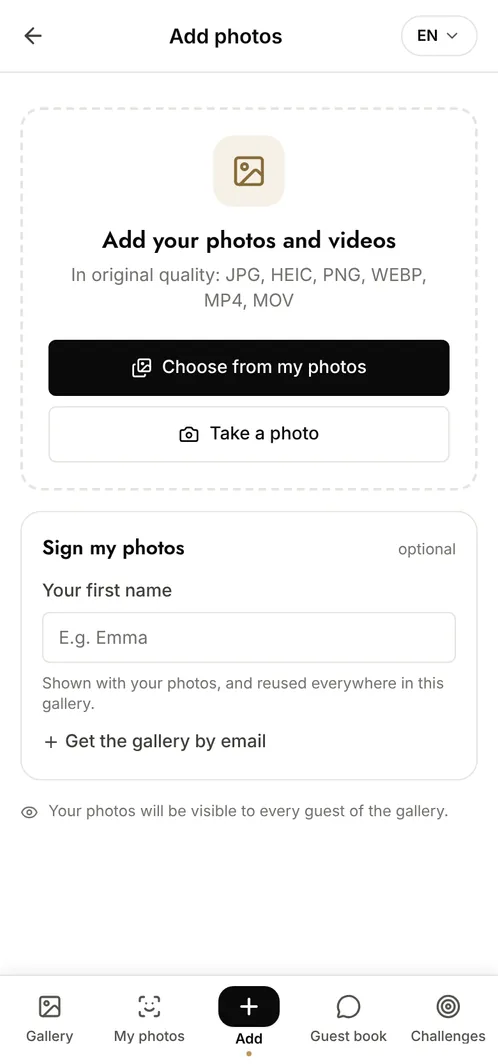
How do you collect graduation photos from students and families?
Open one gallery for the ceremony and share its QR code on the programme, on the screens or on a sign at the exit. Students, parents and staff all scan it and upload what they took, from the procession to the photos taken outside with friends. Nothing to install, no account to create, and the files keep their original resolution, so a graduate can still print the photo their parents took from the fourth row.
The moments that make the album
Walking across the stage
The handshake, the diploma, the face turning to the audience. Families in the seats catch what the official photographer cannot.
The families in the audience
The reaction shots, the applause, the parents filming: the other half of the ceremony, and the half nobody thinks to keep.
Outside, afterwards
The caps in the air, the group photos, the goodbyes. The most photographed moment of the day, and the most scattered.
Photo challenge ideas
A photo with the whole cohort
Everyone tries to gather as many classmates as possible into a single frame.
Then and now
A first-year photo next to one from today, side by side in the album.
The best cap toss
Guests compete for the sharpest shot of the moment everyone tries to catch and usually misses.
Which plan for your graduation?
A graduation involves a lot of contributors at once: students, families and staff. The free plan's 10 contributors and 100 photos will not cover a full cohort. The Event plan at €69 (one-off payment) gives unlimited photos and contributors plus facial recognition, so every graduate finds their own photos with a selfie.
Free
€0
- 100 photos, 10 contributors
- Gallery online for 15 days
- For a big crowd
Event
€69one-off
- Unlimited photos and contributors
- Selfie search
- Challenges and guestbook
- Gallery online for 6 months
Frequently asked questions
How does each graduate find their own photos?
With facial recognition, available from the Event plan: they take a selfie, give explicit consent, and get every photo they appear in. The selfie and its fingerprint are encrypted and can be deleted on request.
Can the school control what is published?
Yes. Moderation lets an organiser approve each upload before it becomes visible, and any photo can be removed at any point.
Can we separate the ceremony from the reception?
Yes. Categories let uploads be sorted as they arrive, and anyone browsing can filter to the part of the day they care about.
Is this compliant when minors are photographed?
The gallery is private by default and reachable only with the link. Facial recognition is off unless the organiser enables it, and it only ever runs on a guest who gave explicit consent for their own selfie.
Also worth reading



Guides:QR codes for events: the complete guideThe 4 secrets of an event that really landsImage rights and event photos
All event types