Free for your school fair
The school fair, seen by every family
At a school fair every parent photographs their own child, and the school ends up with almost nothing of the day as a whole. One shared, moderated gallery gathers the lot without anyone chasing files by email.

How does a school collect photos from its fair?
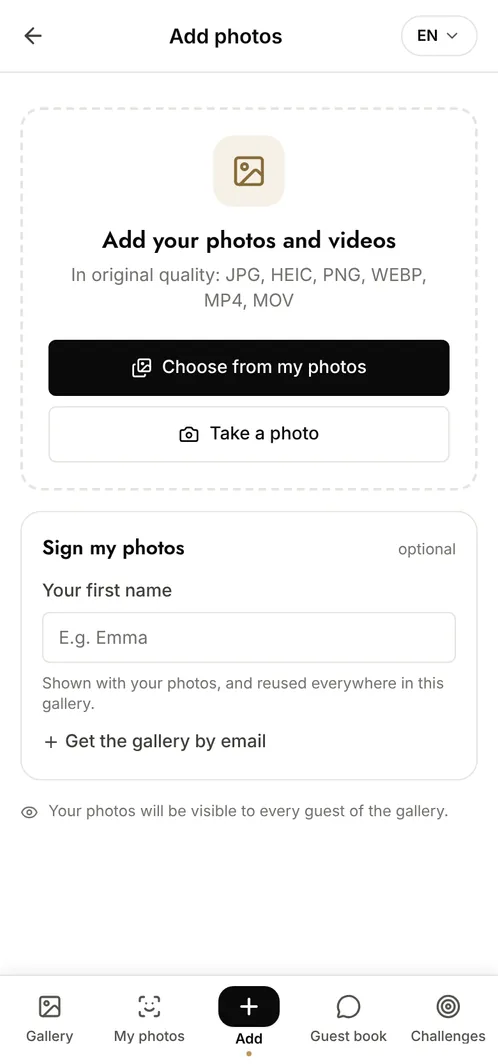
Create a gallery and print its QR code on the stall signs and the programme. Parents and volunteers scan it and add their photos during the day, with nothing to install and no account to create. Moderation means the school approves each photo before it appears, which is what makes the approach workable when children are in frame, and the association gets a full-quality archive for its newsletter.
The moments that make the album
The stalls
The games, the queues, the volunteers behind the tables: the work that goes into the day and rarely gets photographed.
The show
Parents in the audience catch what happens on stage from every angle, and between them nothing is missed.
The end of the day
The raffle, the tidy-up, the last families leaving: the closing images the school actually reuses.
Photo challenge ideas
The best stall
Families photograph their favourite stand and the school shares the results.
The volunteers' photo
One photo per team of volunteers, so the people who ran the day appear in the album.
The class in one frame
Each class gathers for a single photo during the afternoon.
Which plan for your school fair?
A school fair involves far more contributors than the free plan's 10. The Event plan at €69 (one-off payment) gives unlimited photos and contributors and 6 months of retention, which comfortably covers the newsletter and the end-of-year recap. Moderation is available on every plan.
Free
€0
- 100 photos, 10 contributors
- Gallery online for 15 days
- For a big crowd
Event
€69one-off
- Unlimited photos and contributors
- Selfie search
- Challenges and guestbook
- Gallery online for 6 months
Frequently asked questions
Can the school approve photos before they appear?
Yes. With moderation on, every upload waits in a queue and only becomes visible once an organiser approves it. Nothing is published without a check.
What about families who do not want their child photographed?
The gallery is private and link-only, moderation lets the school filter uploads, and any photo can be removed at any time on request. Facial recognition stays off unless the organiser deliberately enables it.
Do parents need to create an account?
No. Scanning the QR code is enough to view and to upload. Only the organiser needs an account, to create and manage the event.
Can the parents' association brand the gallery?
Yes, from the Event Pro plan onwards: logo, colours and a custom watermark, so the gallery carries the association's identity.
Also worth reading



Guides:How long should you keep event photos under GDPR?Shared Google Photos vs a dedicated event galleryImage rights and event photos
All event types