Free for your sports club
The club's season, photographed by everyone
Every weekend parents and members photograph the matches, and every weekend those photos stay on individual phones. A club gallery, reachable by QR code at the ground, turns a scattered season into one archive.

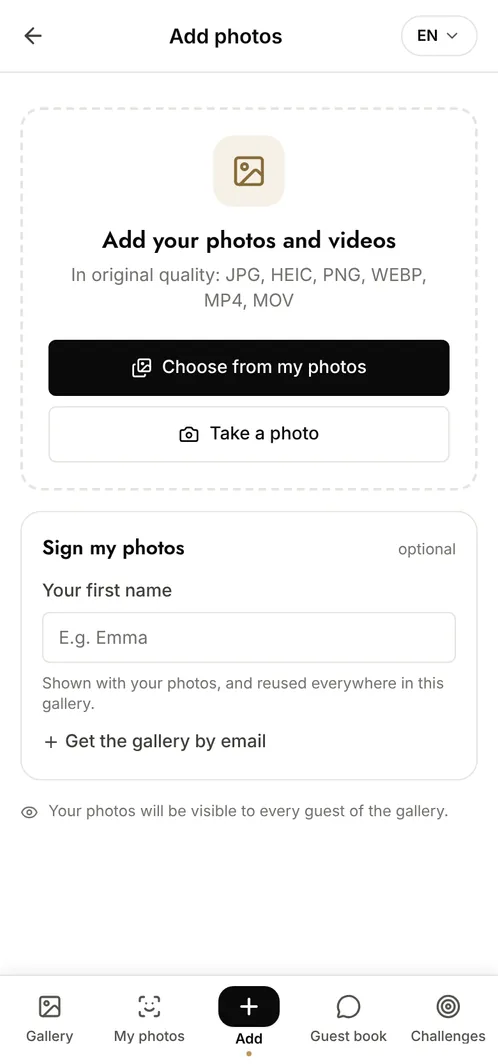
How does a sports club collect photos from matches and tournaments?
Set up a gallery for the event or the season and display its QR code at the entrance, in the clubhouse and on the team sheets. Parents, players and volunteers scan it and add what they shot, with no app and no account required. The club gets a complete archive at original quality for its website, its newsletter and its end-of-season presentation, instead of asking people to send photos by email.
The moments that make the album
Warm-up and team talk
The part of the day the official photos always miss, and the part that shows the team as it really is.
The action
Parents in the stands cover angles no single photographer can, and between them they catch almost every play.
The podium and the third half
The trophy, the group photo, the meal afterwards: what the club actually reuses in its communications.
Photo challenge ideas
The best action shot
Everyone submits their sharpest moment of play and the club picks the winner.
The whole squad in one frame
Players, coaches and volunteers together, which is harder than it sounds.
The supporters' photo
The stands seen from the pitch side, so the album is not only about the players.
Which plan for your sports club?
A tournament weekend with several teams needs far more than the free plan's 10 contributors. The Event plan at €69 (one-off payment) covers a single event with unlimited photos and contributors. A club running events all season is usually better served by the Pro plan, which covers 10 events a month with full white-label.
Free
€0
- 100 photos, 10 contributors
- Gallery online for 15 days
- For a big crowd
Event
€69one-off
- Unlimited photos and contributors
- Selfie search
- Challenges and guestbook
- Gallery online for 6 months
Frequently asked questions
Can the club use the photos on its website?
Yes, subject to the usual permissions from the people photographed. Photos download at original quality, which is what makes them usable in a newsletter or on a site.
How do we handle photos of children?
The gallery is private and reachable only with the link. Moderation lets the club approve every upload, and facial recognition stays off unless the organiser enables it, and only ever with the explicit consent of the person taking the selfie.
Can each team have its own section?
Yes. Categories let uploads be sorted by team or by match, and anyone browsing can filter to what concerns them.
Can the gallery carry the club's colours?
Yes, from the Event Pro plan onwards: logo, colours and a custom watermark, so the gallery looks like the club rather than a third-party tool.
Also worth reading



Guides:How long should you keep event photos under GDPR?QR codes for events: the complete guideImage rights and event photos
All event types